
Free desktop tools to connect, configure, test and monitor 2G products
2G Engineering provides two free applications for Windows, macOS and Linux. Use ACT3 for hands-on control and tuning of 2G linear and rotary actuators, and JAMBUI to work with any 2G device over Modbus.
ACT3
Actuator Control Software
ACT3 is 2G’s purpose-built application for controlling, configuring, tuning and bench-testing 2G linear and rotary actuators. It gives you direct access to motion commands, configuration and live telemetry, so you can commission quickly and troubleshoot confidently.
- ✓ Operate in position, velocity, fixed-velocity seeking and duty-cycle modes
- ✓ Live position and speed gauges, motor status and fault flags
- ✓ Servo tuning of the cascaded position / velocity PID loops
- ✓ Save and load tuning presets
- ✓ Calibration and configuration tools
- ✓ Set unit addresses and scan multi-drop buses for devices
- ✓ Firmware updates
- ✓ Live charts and data logging for diagnostics
Free download. Windows, macOS and Linux. See the Actuator Operating Manual for full instructions.
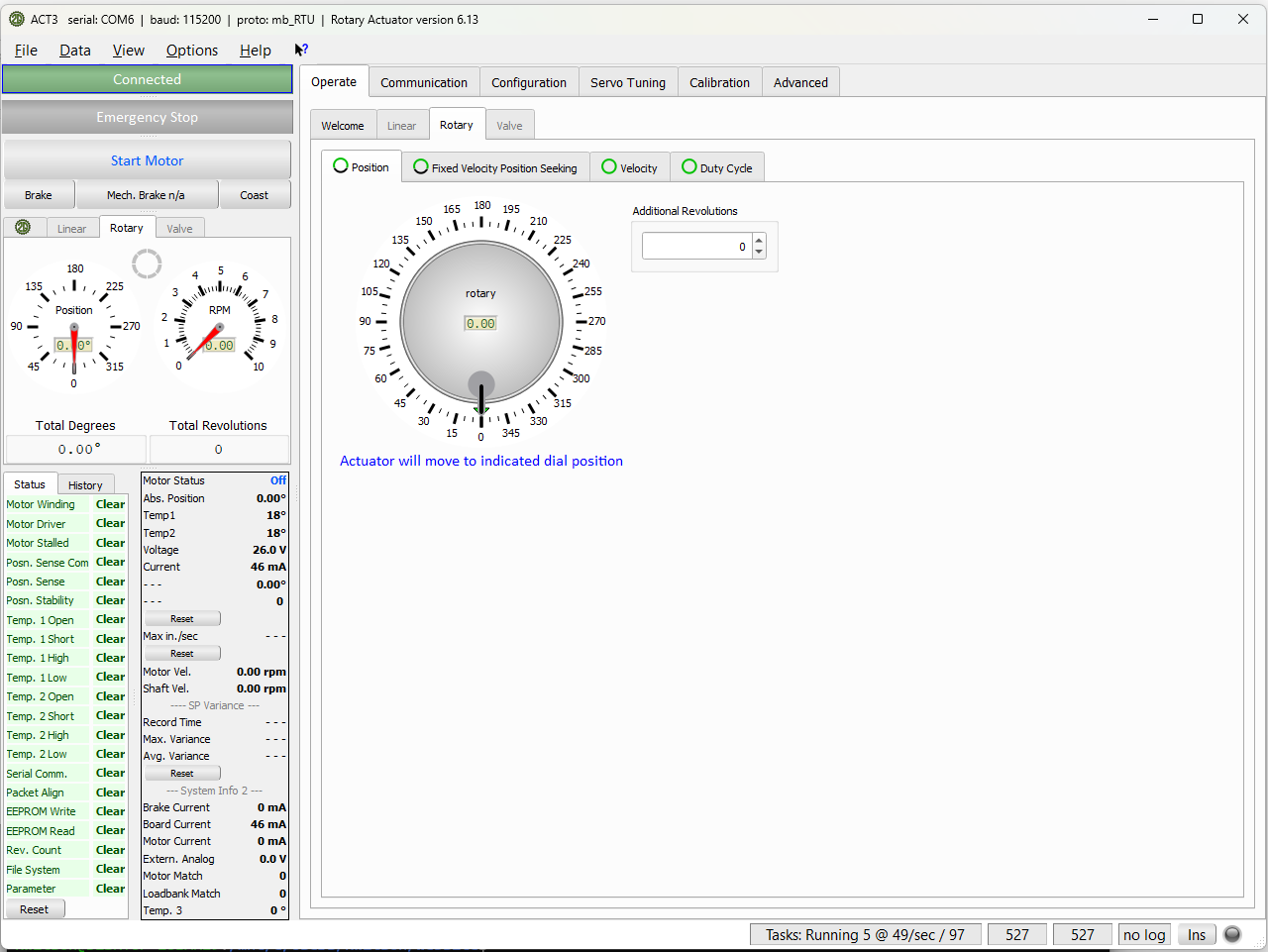
ACT3 operating a rotary actuator
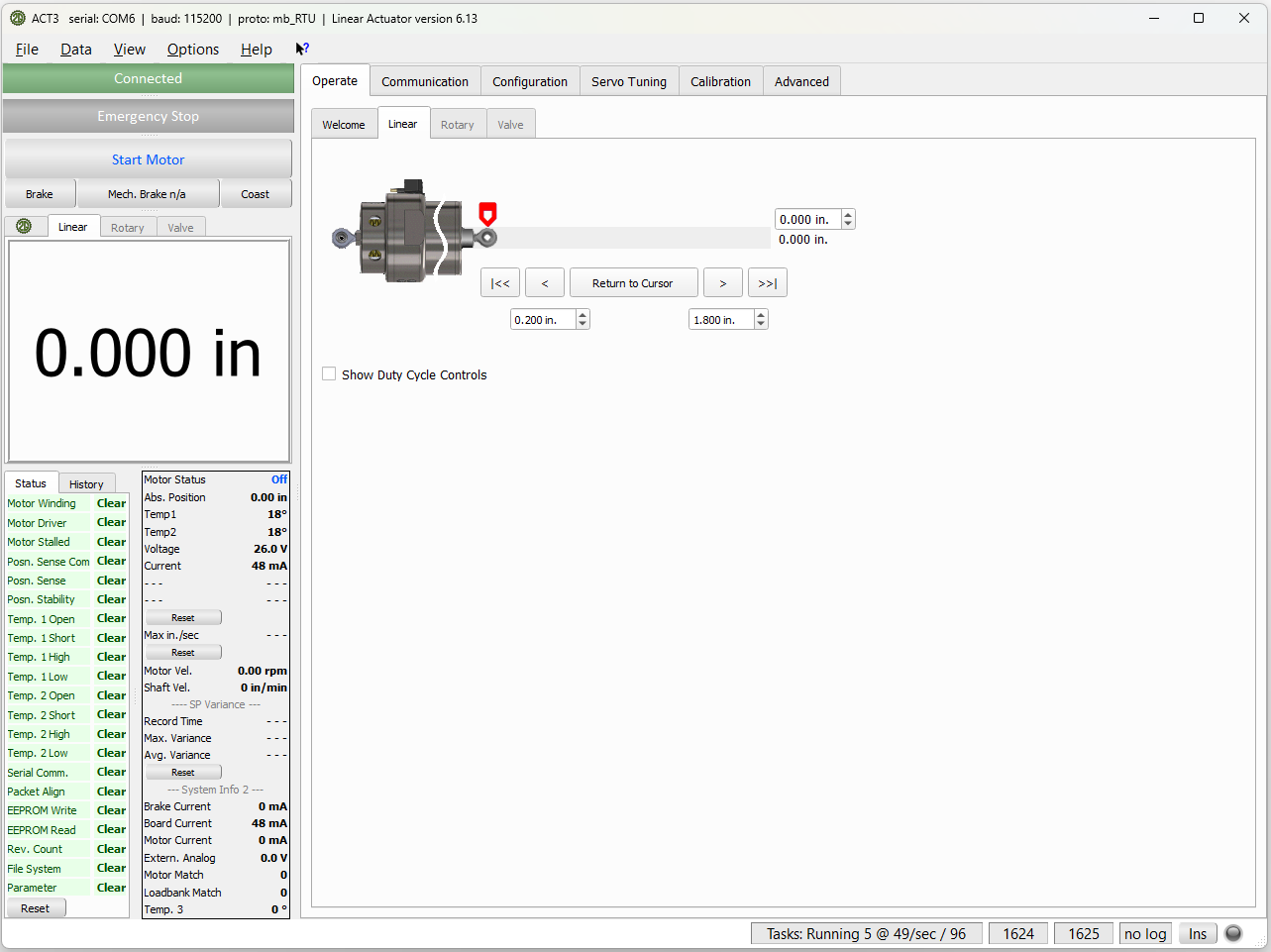
ACT3 operating a linear actuator
JAMBUI
Modbus Control Software for Every 2G Device
JAMBUI (Just Another Modbus User Interface) is 2G Engineering’s free Modbus monitoring and control application, and it works with all 2G products.
Every 2G device carries its own self-describing register map. JAMBUI reads that map the moment you connect, so registers appear by name with units, scaling and formatting already applied. There’s no manual map building and no PLC required. It’s the quickest way to verify communication, commission a system, or diagnose a problem in the lab, on the bench or in the field.
JAMBUI can talk to multiple devices at the same time. Connect to several 2G products on one serial bus or Ethernet connection, and each one loads its own register map, so you can monitor and test a complete system from a single screen.
JAMBUI also works with third-party Modbus devices: load a register map from a CSV file and you have the same tools.
Free download. Windows, macOS and Linux.
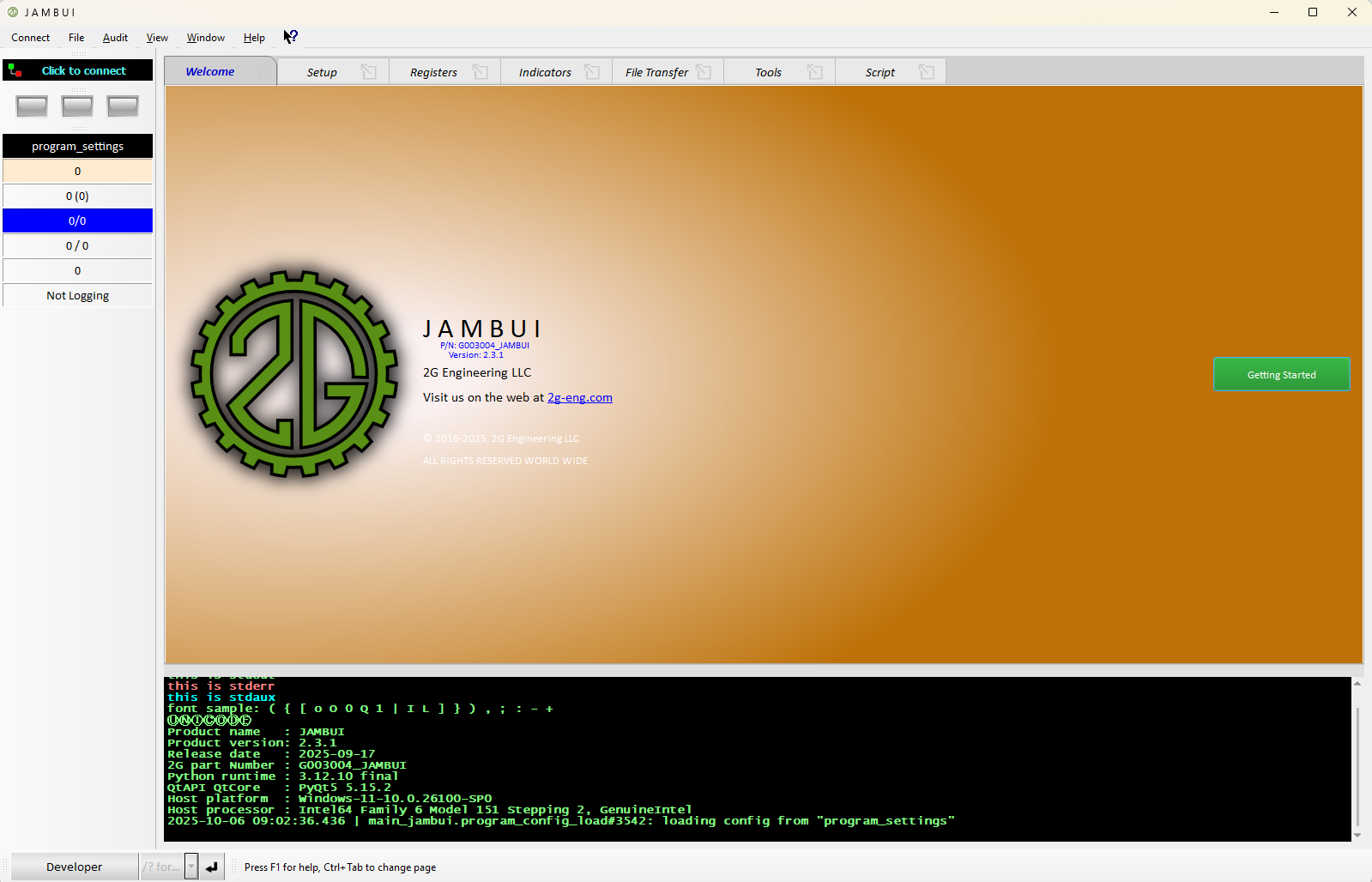
JAMBUI welcome screen
What JAMBUI Can Do
One tool from first connection to final test
Connect Any Way
Serial RS-232 / RS-485 (Modbus RTU or ASCII) and Ethernet (Modbus TCP or UDP), plus Modbus registers tunnelled over EtherNet/IP. Talk to multiple devices at once, with automatic discovery on your network, address scanning on serial buses, and CANopen access through 2G’s CANopen bridge.
Self-Describing Devices
The register map is read directly from the 2G device: names, units, scaling, packing and formats. Save the map to a file for offline use, or load your own CSV map for other Modbus equipment.
Live Register View
Read and write any register with engineering units and SI prefixes. A find bar suggests matching register names as you type, recently changed values are highlighted, and registers can be grouped by device.
Custom Dashboards
Build drag-and-drop dashboards of gauges, LEDs, sliders, buttons and bar graphs. Save layouts to share with your team, and 2G devices can provide their own ready-made dashboard.
Strip Chart & Data Logging
Record every poll of the device and chart it live, each channel in its own pane. Open hours-long logs, or several logs as one, zoom in, and get A-B statistics over any stretch. Export any section as CSV.
Virtual Channels
Define your own channels from register values, such as power, rate of change, setpoint error or amp-hours. They update after every poll and can be shown, logged and charted just like registers.
Try It Without Hardware
Built-in simulated 2G devices behave like the real thing, so you can explore JAMBUI, build dashboards and scripts, or train your team before the hardware arrives.
Audit, Firmware & Files
Compare a device’s settings against saved values, and save or restore complete configurations. Update 2G device firmware and transfer files to the device’s onboard file system with CRC verification.
Scripting & Integration
Automate tests with built-in Python scripting, including simple custom GUIs. A JSON/REST web server and ModStream TCP stream let other software read and write live data.
See JAMBUI in Action
Real screens from 2G products under test
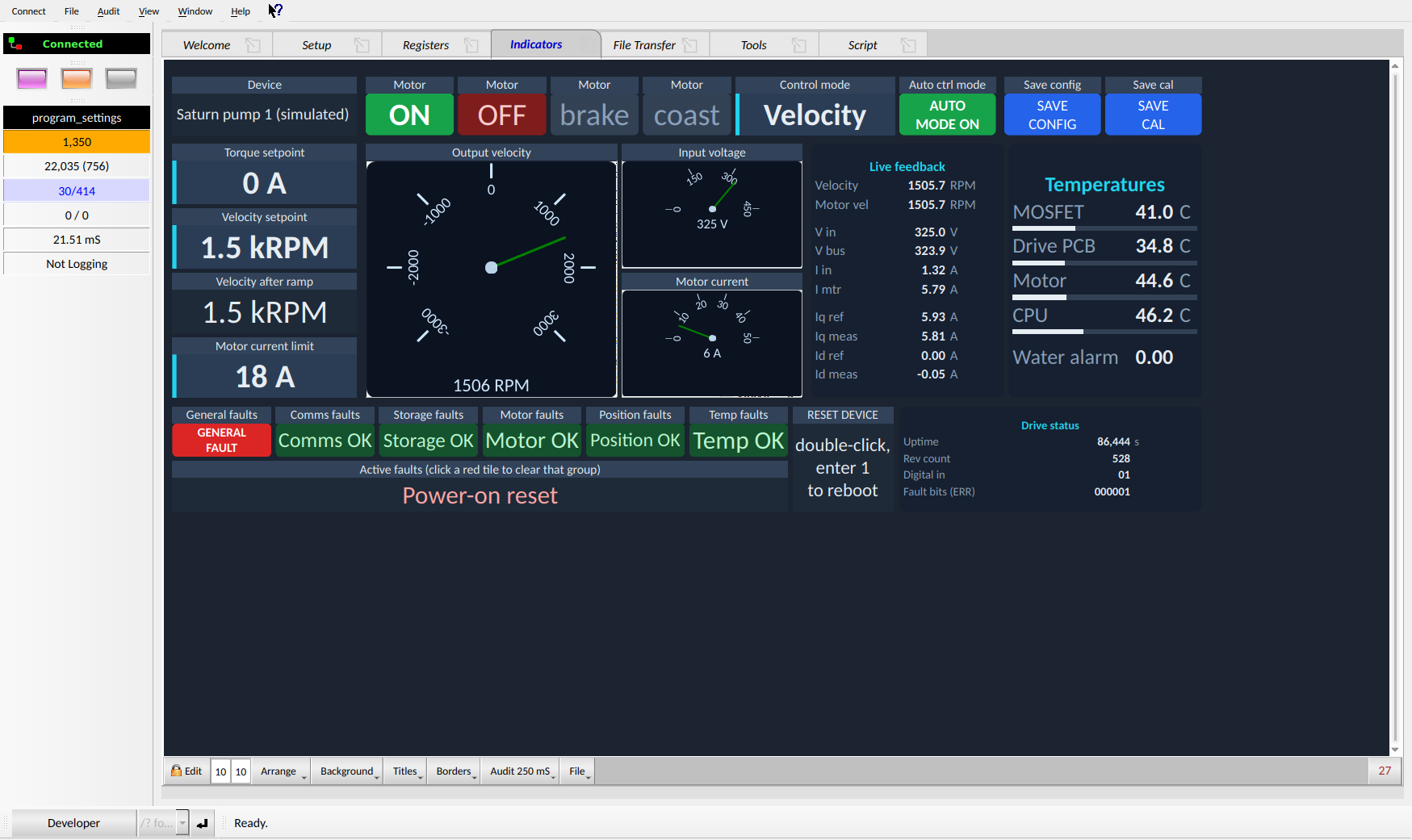
A live dashboard for a 2G motor drive: gauges, setpoints, temperatures and fault status
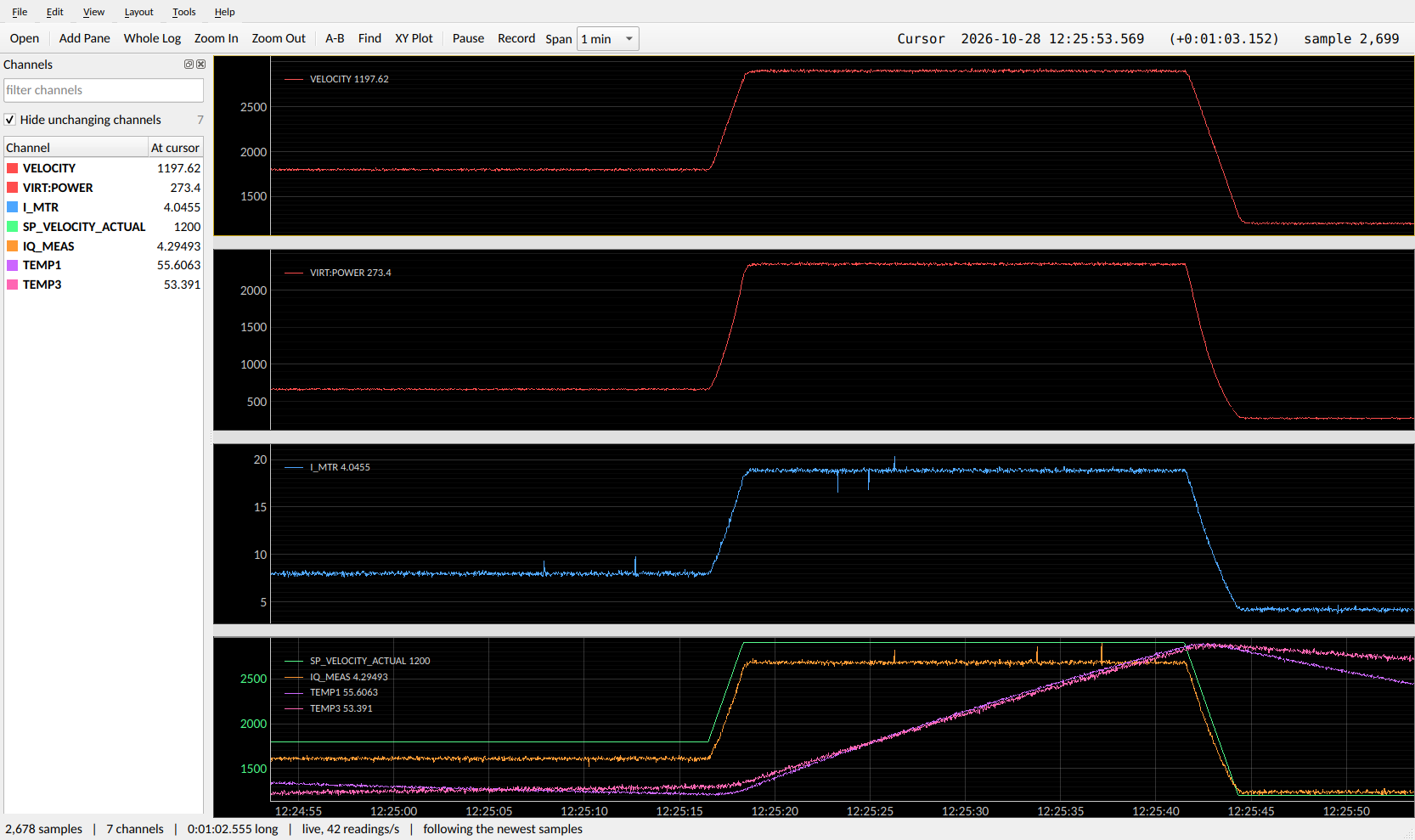
Strip Chart: every poll recorded and charted live, here a speed step on a motor drive
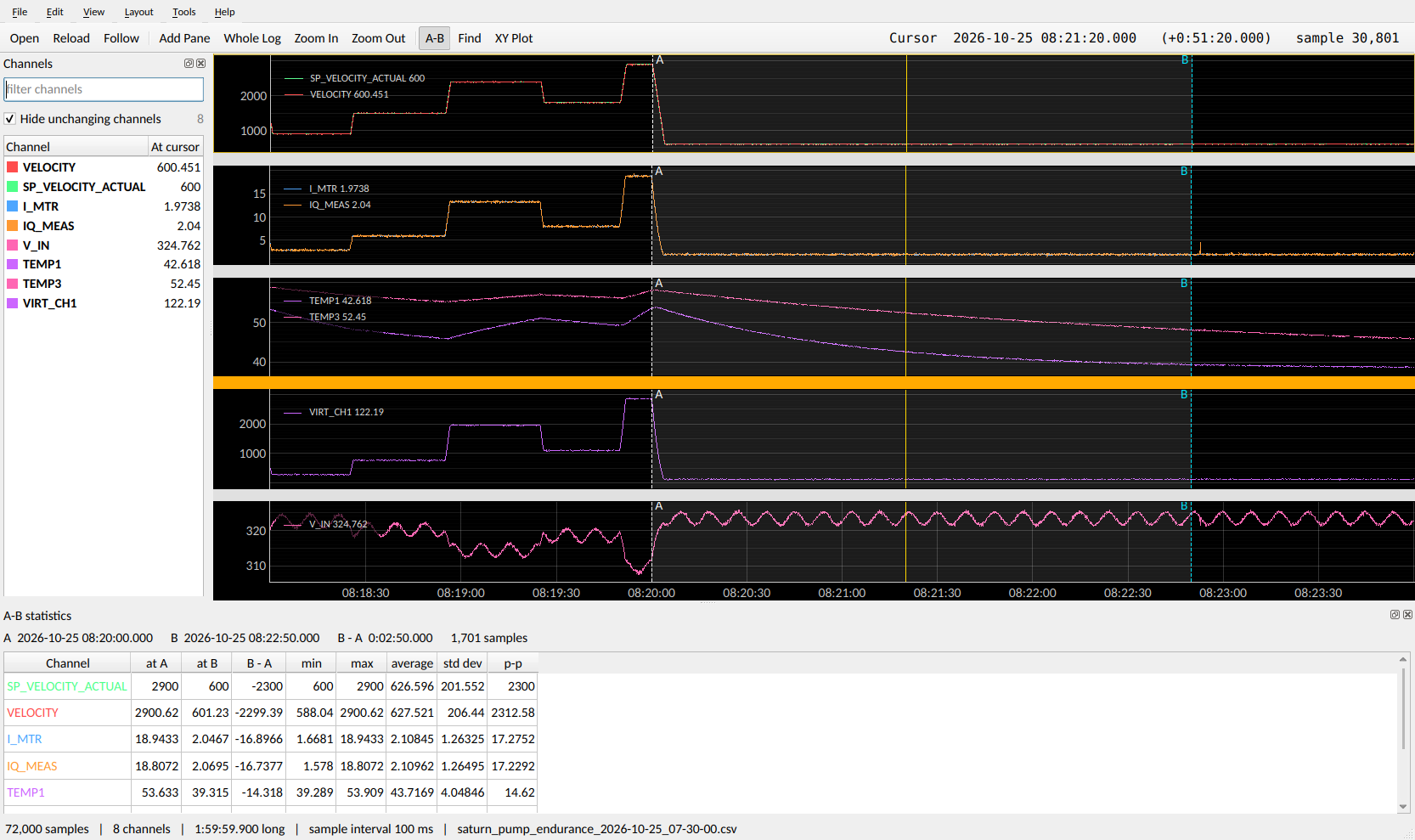
Zoom into any part of a log and get min, max, average and standard deviation between the A and B marks
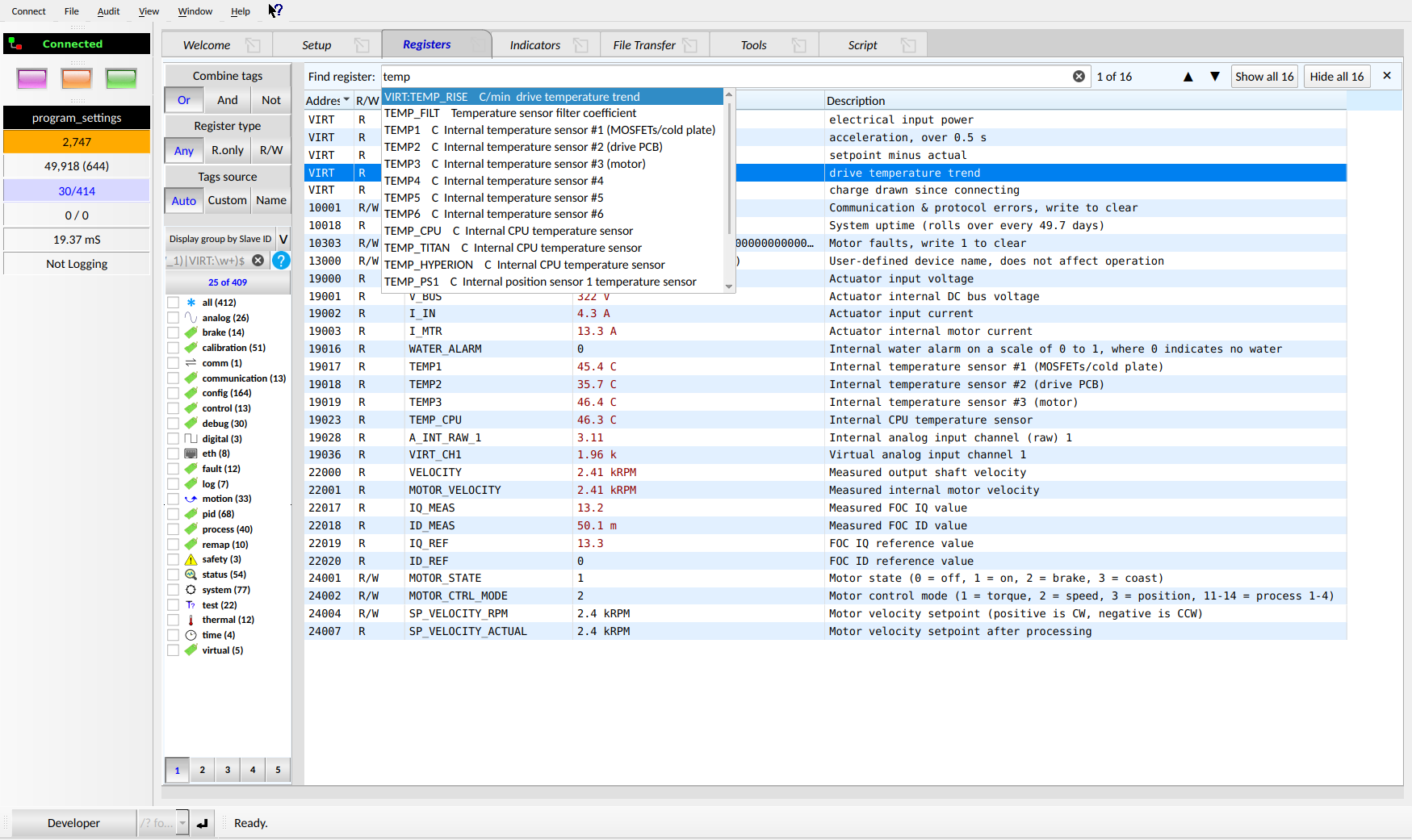
Find any register by name, with suggestions as you type
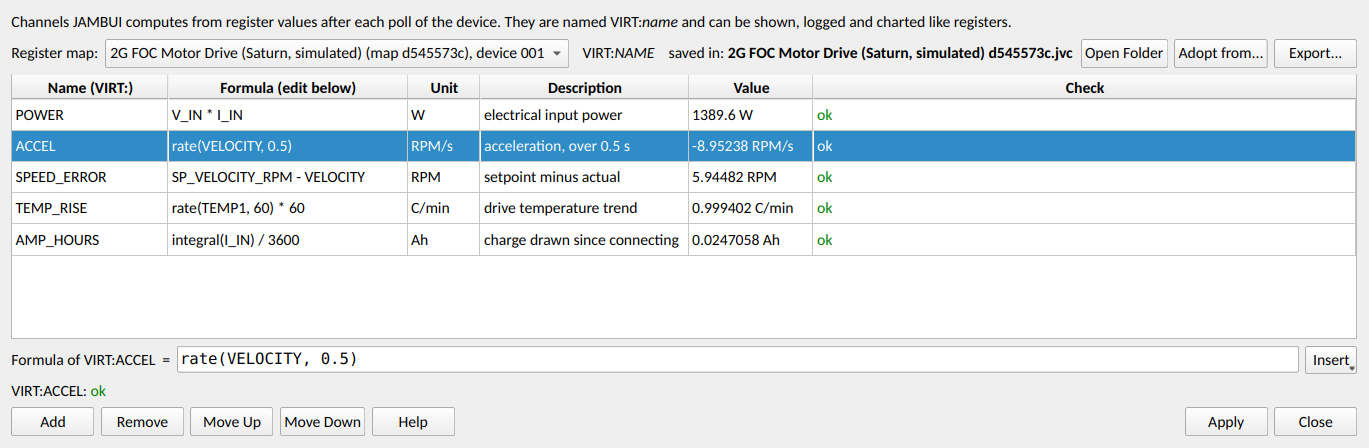
Virtual channels: power, acceleration, temperature rise and amp-hours computed from registers
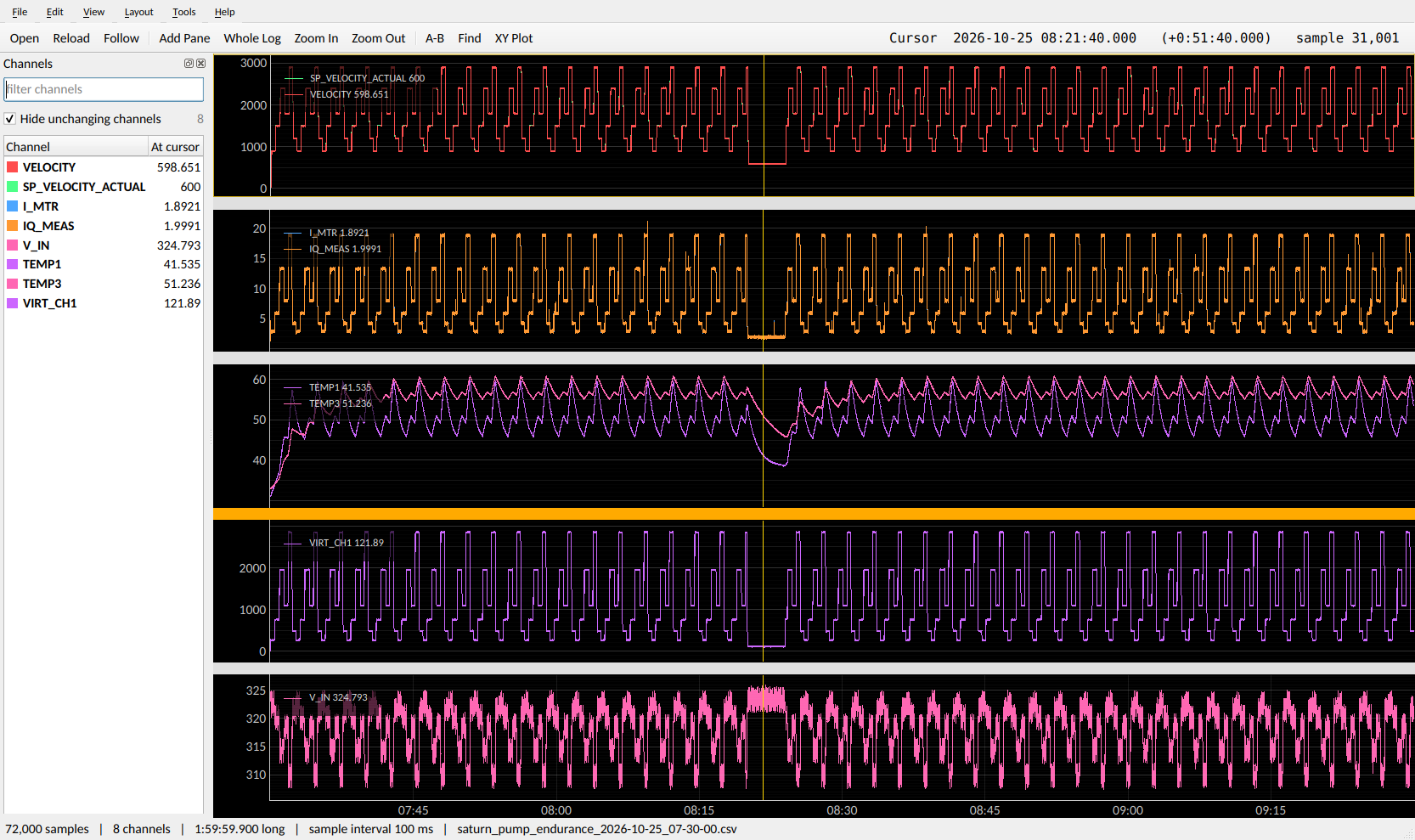
Review long recordings, here a two-hour endurance run
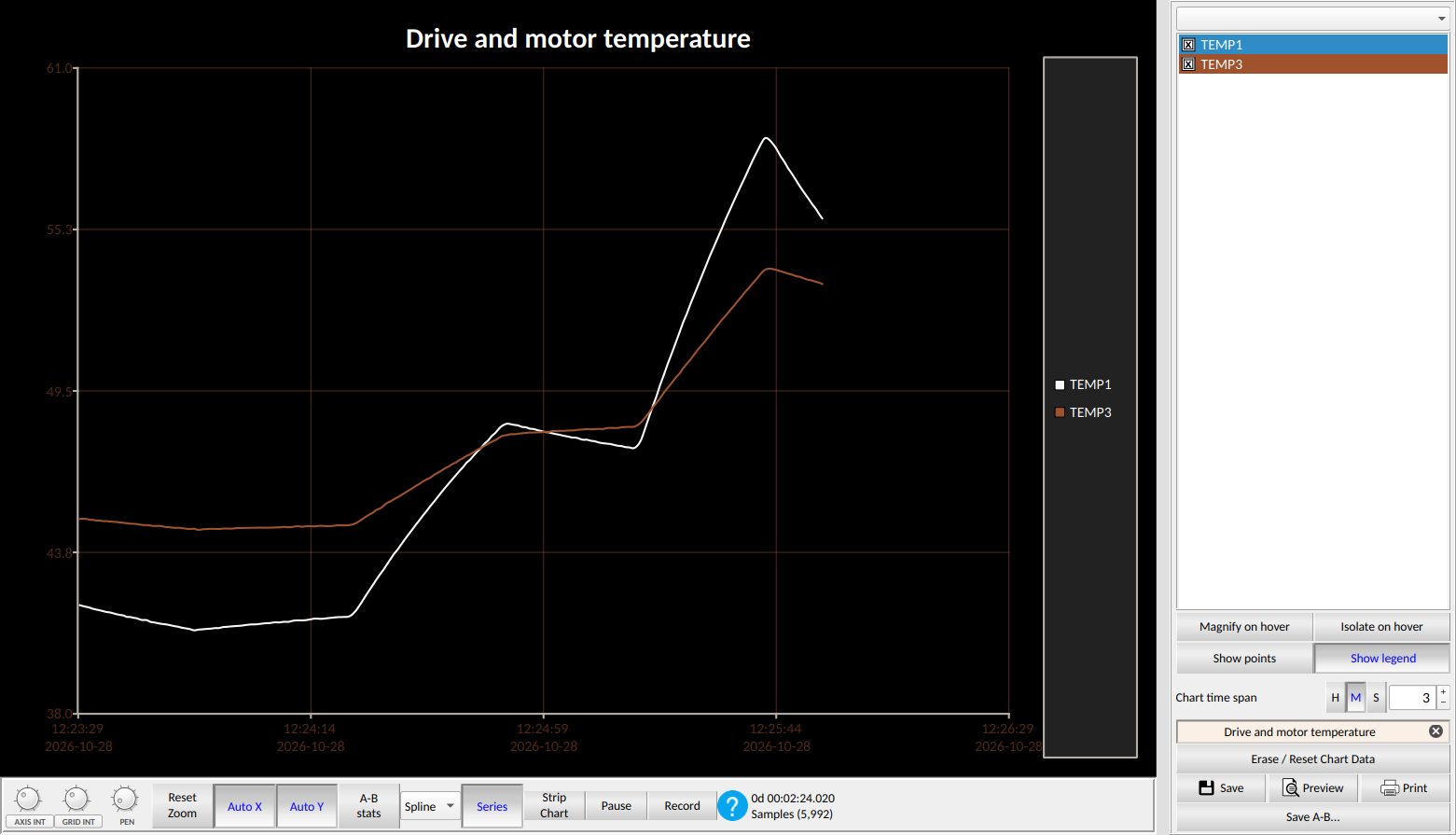
Overlay charts: drive and motor temperature during a load test
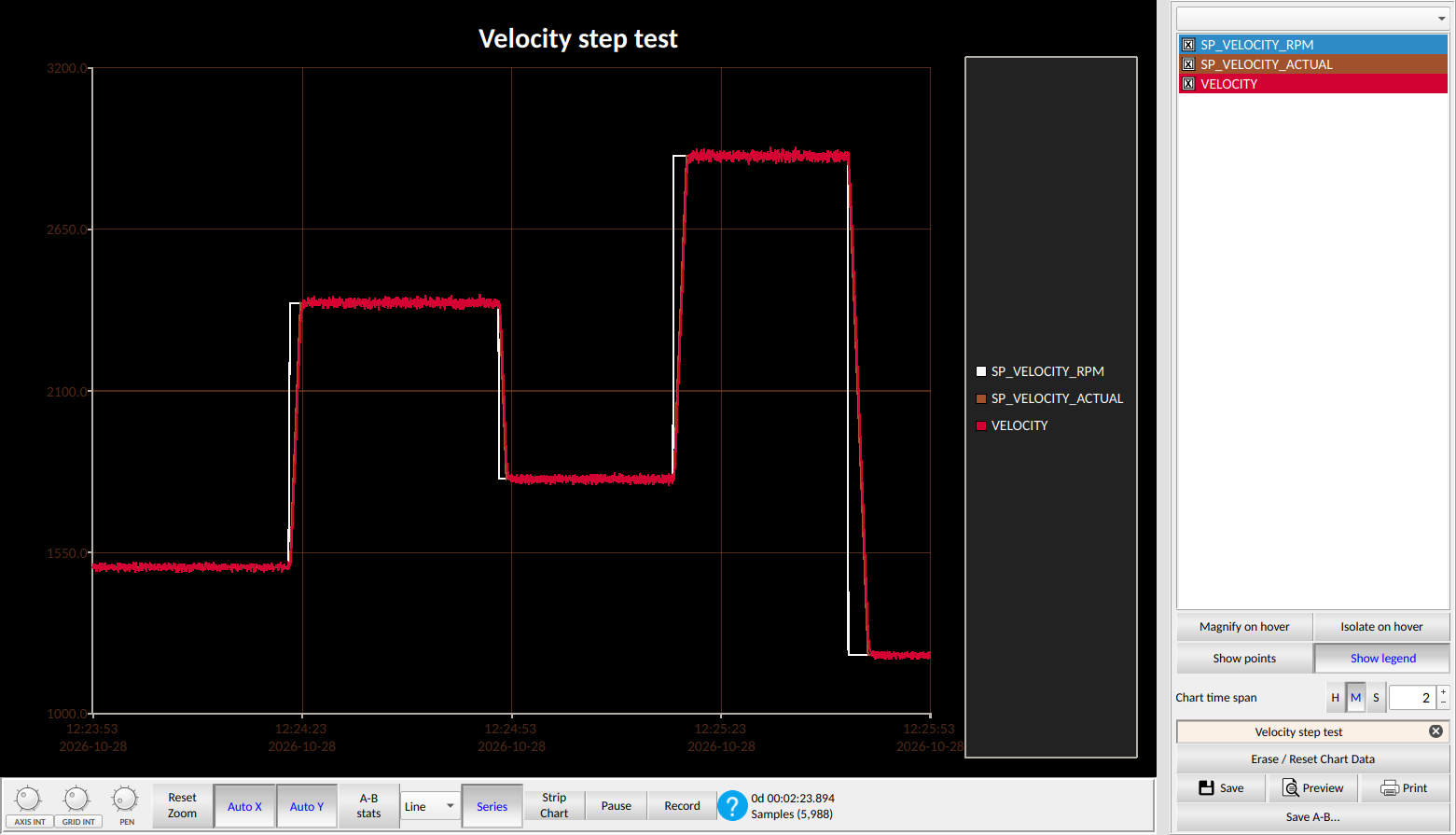
A velocity step test, setpoint against measured speed
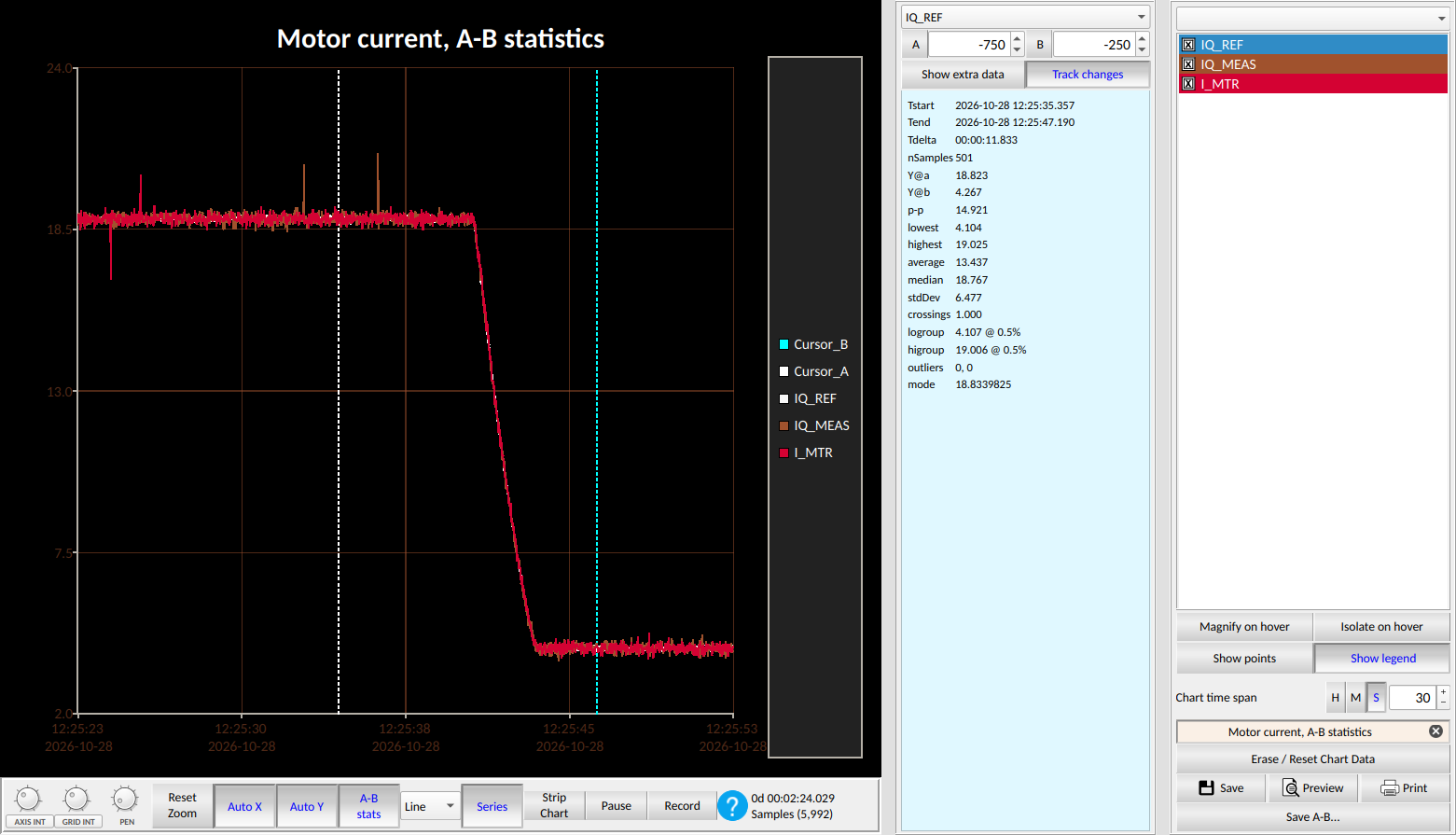
A-B cursors with instant statistics over any part of a chart
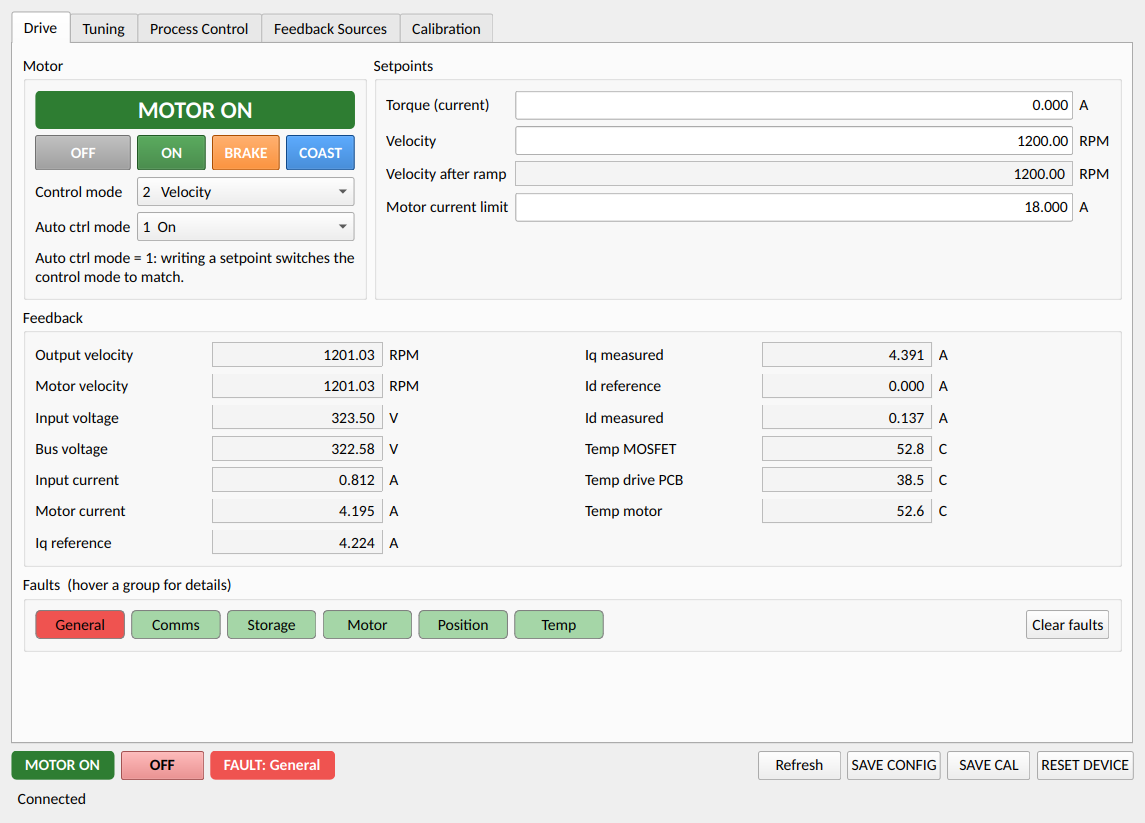
Build your own control panels with built-in Python scripting
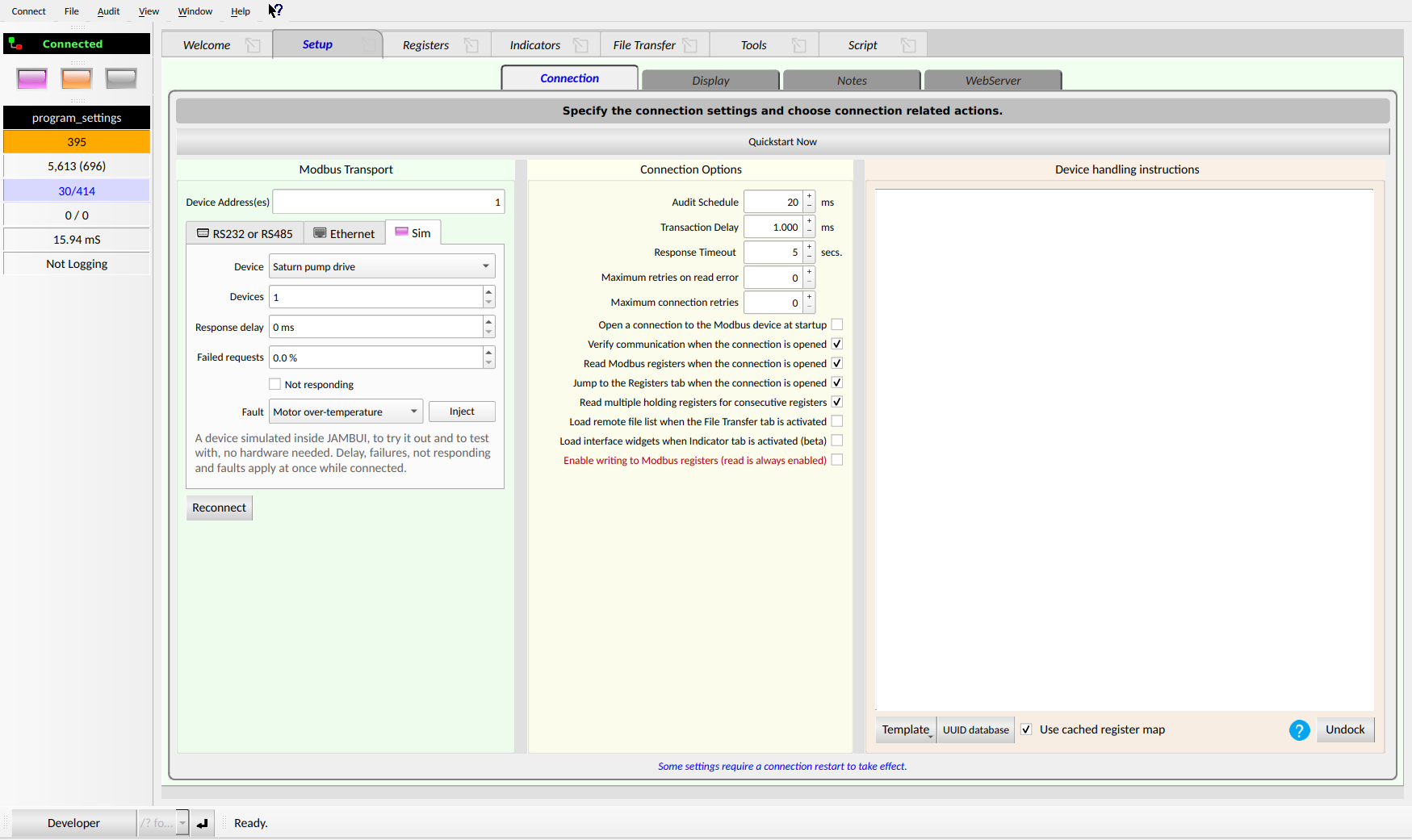
Serial or Ethernet: connection setup in one screen
Typical Workflow
Up and running in minutes
Connect
Attach the serial or Ethernet cable and choose the port, or let JAMBUI discover 2G devices on the network. No hardware yet? Start with a simulated device.
Click to Connect
JAMBUI opens the connection, loads the device’s register map and starts reading values.
Monitor & Test
Watch live registers, build a dashboard, record and chart, write settings or run a script.
Save & Repeat
Save configurations, logs and device data so the next setup or test is one click away.
Need the Modbus register reference or CANopen mapping for your 2G product? Request product support and our team will send the right documentation.
Need Help Getting Connected?
Our engineers can help with installation, connection settings, register maps and integrating 2G products into your system.